Installing autodarts on a Raspberry Pi
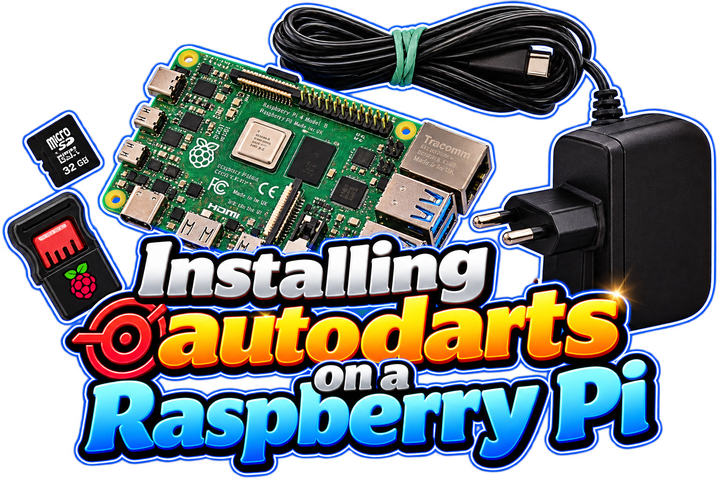
Below you will find the video on how to installing Autodarts on a Raspberry Pi
Disclaimer: The information in this video is for educational and informational purposes only. Wizard of Darts is not responsible for any damages, injuries, or losses that may result from the use of this information. Proceed at your own risk.
Installing autodarts on a Raspberry Pi – The video:
Links and text needed for this guide:
Links:
Codes:
SSH (username)@(nameofpi)
SSH anders@autodarts
sudo apt update
sudo apt full-upgrade -y
sudo reboot
bash <(curl -sL get.autodarts.io)
Remember to bookmark my site, this guide may be updated when needed!
Contact us below, or continue reading about the raspberry pi in generel below the contact buttom.
Raspberry Pi 4 – A Small Computer with Endless Possibilities
The Raspberry Pi 4 is a compact, affordable single-board computer capable of performing many tasks normally associated with traditional desktop computers. Despite its small size, approximately that of a credit card, it offers impressive computing capabilities and countless possibilities for hobbyists, students, programmers, and technology enthusiasts.
The Raspberry Pi family was originally developed to make computer science and programming more accessible. Today, these miniature computers are used worldwide in education, industrial applications, home automation systems, and countless DIY projects.
Unlike conventional desktop computers, the Raspberry Pi comes as a small circuit board. Users can connect a monitor, keyboard, mouse, storage device, and power supply to create a fully functional computer.
What Can You Use a Raspberry Pi For?
One of the greatest advantages of the Raspberry Pi is its versatility. It can perform an impressive variety of tasks, including:
- Desktop Computing: Browse the internet, edit documents, watch videos, and perform everyday computing tasks.
- Retro Gaming: Build a retro gaming console using emulation software such as RetroPie.
- Home Automation: Control smart lights, sensors, heating systems, and connected devices.
- Media Centers: Stream movies, music, and multimedia content using compatible software.
- Web Servers: Host websites, development environments, and lightweight server applications.
- Programming: Learn Python, Linux, electronics, and software development.
- Robotics: Build robots and automated devices using the GPIO interface.
- Network Storage: Create a simple file-sharing system using external storage devices.
Its relatively low electricity consumption also makes it suitable for projects that need to operate continuously.
Raspberry Pi and Autodarts
For darts enthusiasts, the Raspberry Pi has another exciting application: operating an automatic darts scoring system.
Autodarts is an innovative scoring platform that uses cameras to detect the position of darts on a dartboard and calculate scores automatically.
A Raspberry Pi can serve as the computing unit responsible for processing camera information and running the scoring software.
The Raspberry Pi 4 can support certain Autodarts installations, provided the camera connections, software compatibility, and hardware requirements are satisfied. More demanding configurations may benefit from a Raspberry Pi 5 or a more powerful computer.
This technology allows darts players to enjoy automated scoring without manually entering every throw.
Raspberry Pi 4 – Technical Specifications
The Raspberry Pi 4 Model B offers impressive hardware specifications considering its compact dimensions.
| Component | Specification |
|---|---|
| Processor | Broadcom BCM2711, quad-core Cortex-A72, 64-bit, 1.5 GHz |
| Graphics | VideoCore VI GPU |
| Memory | 1 GB, 2 GB, 4 GB or 8 GB LPDDR4 RAM |
| USB Ports | 2 × USB 3.0 and 2 × USB 2.0 |
| Video Output | 2 × micro-HDMI, up to 4K at 60 Hz on one display |
| Networking | Gigabit Ethernet |
| Wi-Fi | Dual-band 2.4 GHz / 5 GHz |
| Bluetooth | Bluetooth 5.0 / BLE |
| Storage | microSD card slot |
| GPIO | 40-pin GPIO header |
| Camera / Display | CSI camera and DSI display connectors |
| Power | 5V / 3A via USB-C |
| Dimensions | Approximately 85 × 56 mm |
Operating Systems and Software
The Raspberry Pi 4 primarily runs Linux-based operating systems, with Raspberry Pi OS being the official recommended choice.
Raspberry Pi OS provides a familiar desktop environment, internet browsing, file management, and access to thousands of software packages.
Other operating systems and specialized distributions can also be installed, depending on the intended application.
For beginners, Raspberry Pi Imager simplifies installing an operating system onto a microSD card.
Is the Raspberry Pi 4 Worth It?
The Raspberry Pi 4 remains an excellent option for anyone interested in electronics, programming, automation, or experimenting with compact computers.
Its combination of processing power, connectivity, affordability, and extensive community support makes it particularly attractive for DIY projects.
For darts players, it can also provide the foundation for a customized Autodarts scoring installation.
Whether you want to build a retro gaming machine, automate your home, or experiment with automatic darts scoring, the Raspberry Pi 4 demonstrates how much functionality can fit onto one small circuit board.
Small in size, impressive in capabilities, and almost unlimited in possibilities!